EDGE + COPILOT

Overview
Product teams
Microsoft Edge
Deliverables
Research plan, Reports, Analytics Reports, User interviews, UX flows, Wireframes, Prototypes, UI Spec, Design Systems, Design Reviews, Mockups
Role
Sr. Designer and Mentoring juniors
Duration
6 months
Tools
Figma, Figjam, Copilot
Outcome
Fully shipped product for desktop Consumers
What is Copilot in Edge?
With Microsoft Edge, Copilot is built right into the browser, ready to help. Whether you’re reading an article, watching a video, or exploring a website.
You can ask Copilot anything and get quick, relevant answers without ever leaving the page. Simply click to get started.

What was the Goal?
To address the challenges of information in Copilot and help users manage it more efficiently, thereby enhancing their productivity
Global Collaboration
Being a part of the Edge Studio in India, I work with a team of designers crafting experiences for different Edge verticals or frameworks.
We collaborate with teams globally to bring designs to life.
PROBLEM
Users struggle with information overload and complex workflows in Edge browser due to the absence of a unified Copilot assistance & intelligence, causing

MY QUESTIONS TO PM's
But who are the users, why there were drop-offs and what were their pain points?
Persona
Knowledge Workers
Role
Business professionals, analysts, consultants.
Need
Search content, summarize lengthy reports, presentations, and proposals.
Pain points
-
Spending hours reading lengthy reports
-
Struggling to extract key insights quickly
Students and Academics
Role
Researchers, educators, and students.
Need
Search content, summarize lengthy reports, presentations, and proposals
Pain points
-
Overwhelming volume of academic literature
-
Need to rely on different digital AI assistance and paid subscription
Casual Users
Role
Everyday users handling personal PDFs
Need
Daily searching and creating content quick summary on content or eBooks.
Pain points
-
Time-consuming research and information gathering
-
Struggle to manage multiple reference materials
-
Balancing creativity with efficient information processing
BEFORE JUMPING ON CONCLUSION
We've found a lot of complexities in the current version. It seems like the Copilot pane is too overwhelming, and there are too many steps involved, which I think is why we're seeing drop-offs.
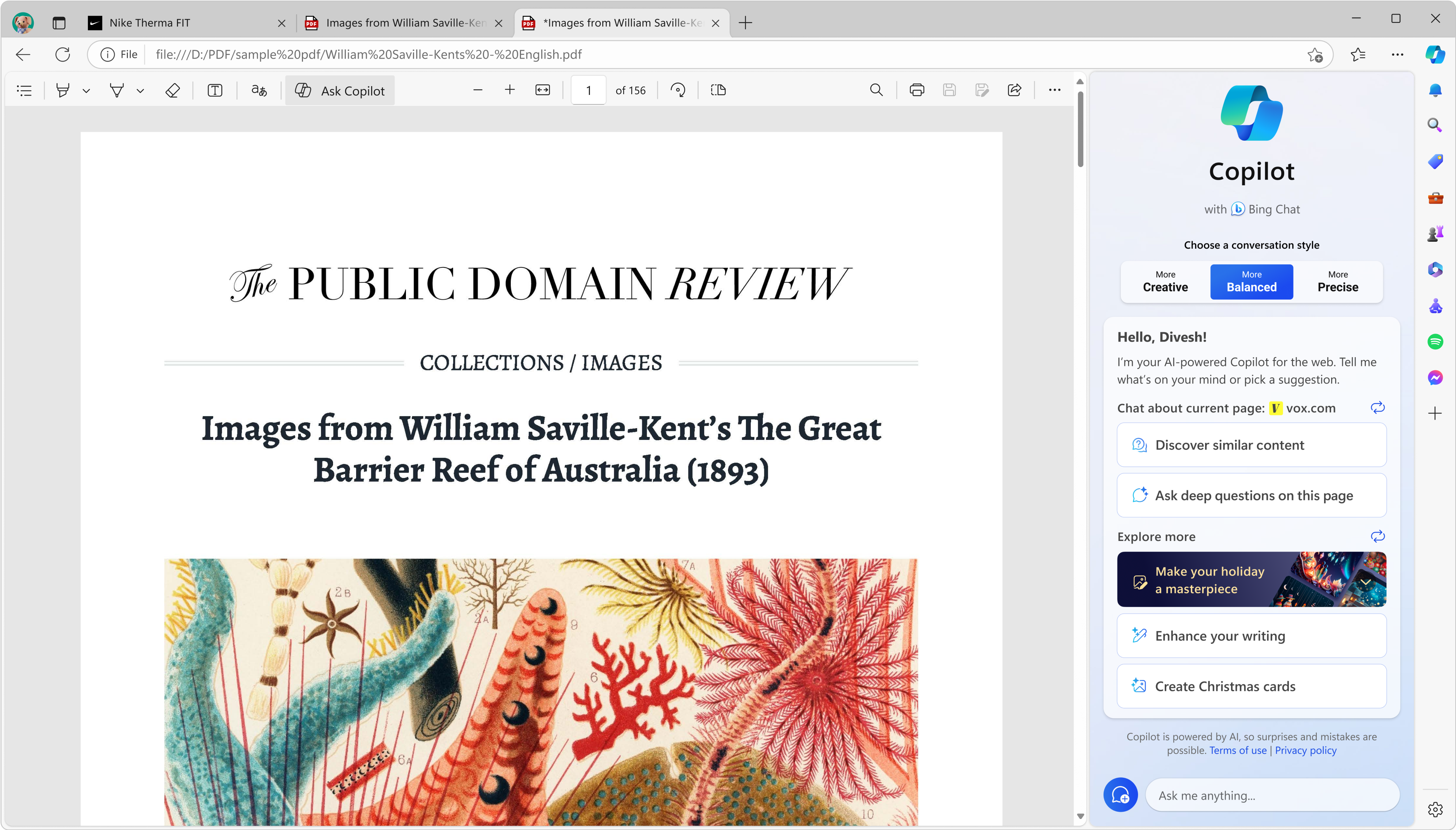
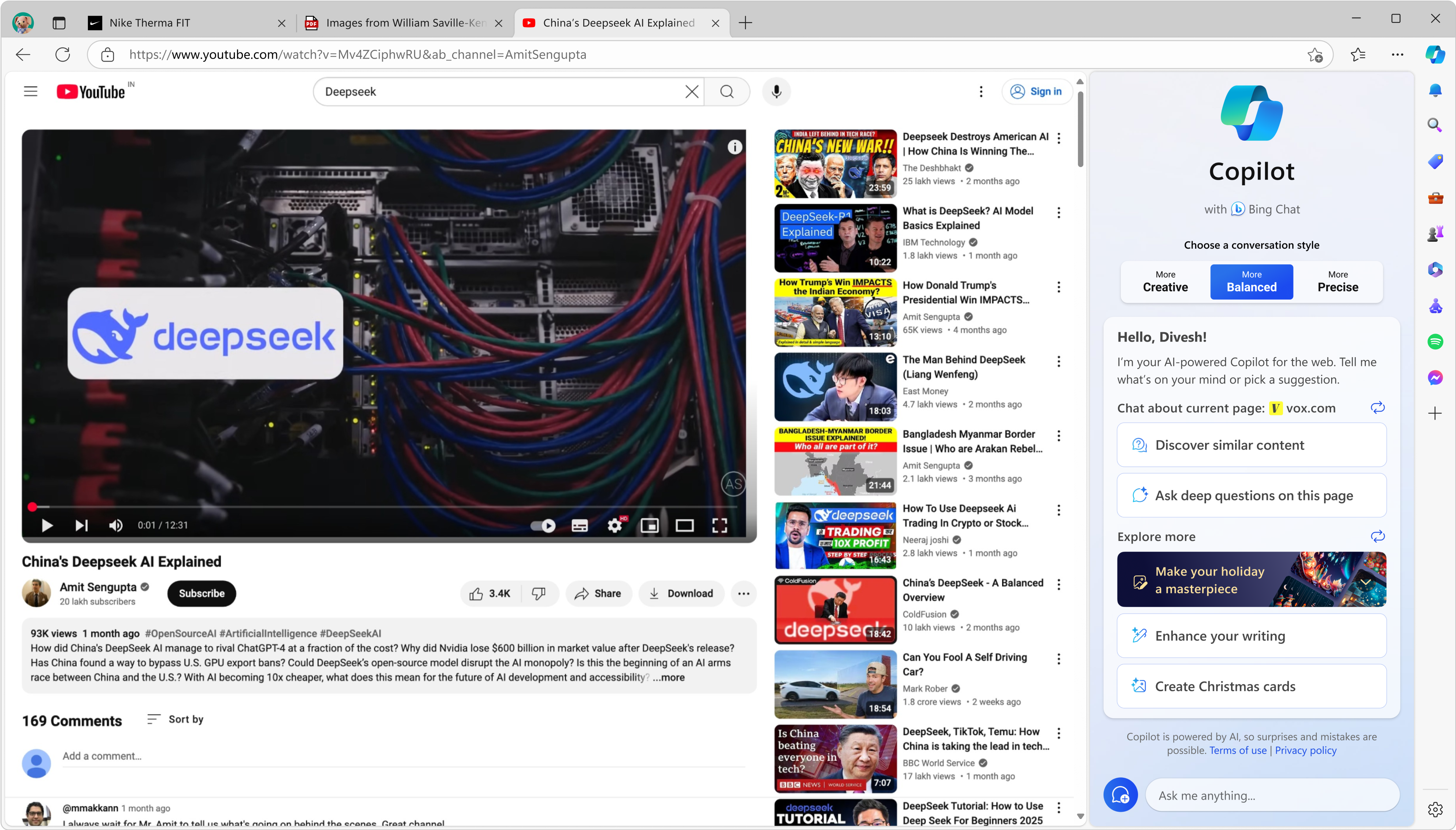
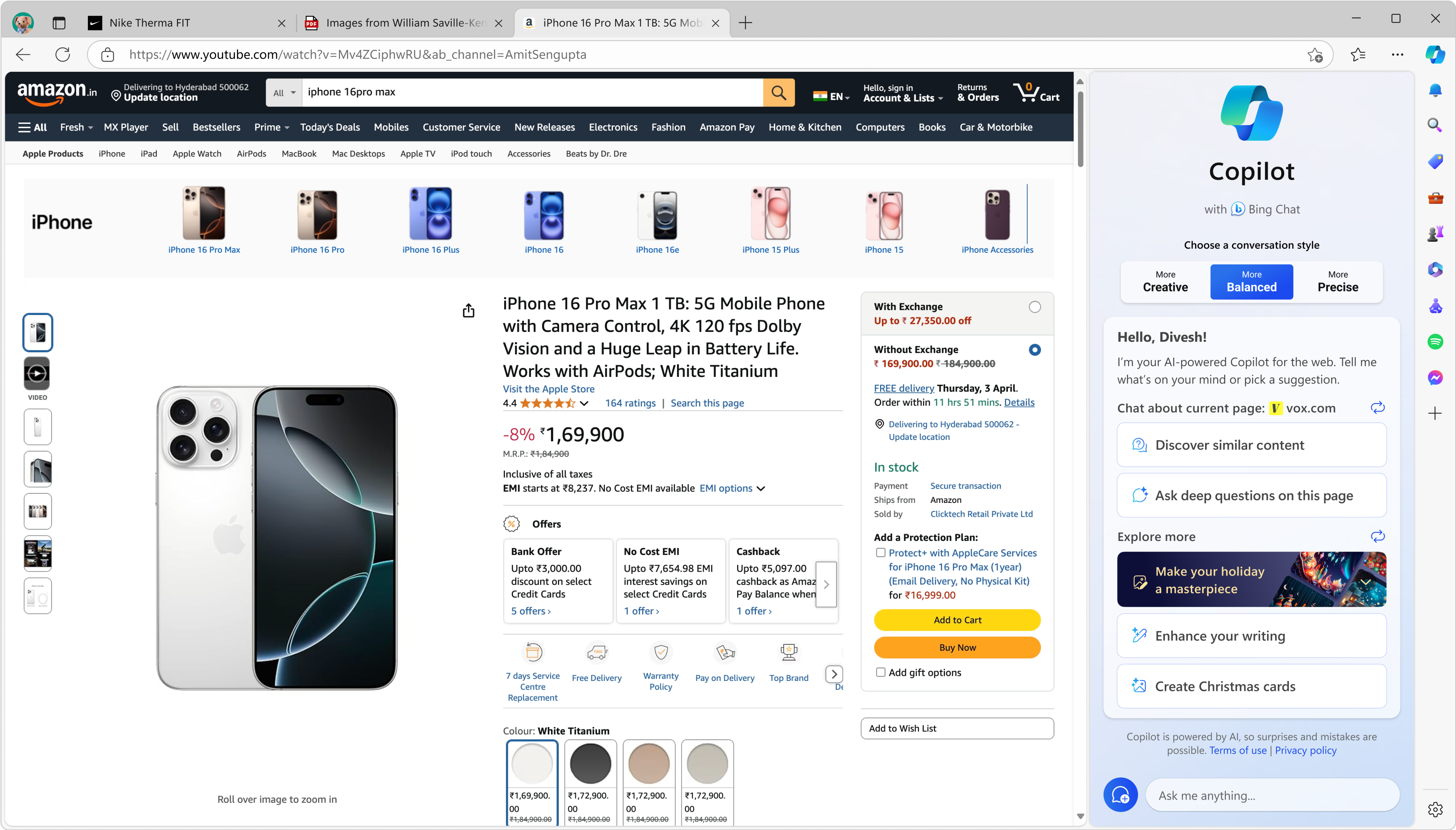
Source: Previous version of Edge browser and Copilot
During our research, my junior conducted an in-person interview with Riley Hager & Amit Anand,product managers working in Redmond team. The goal of this interview was to gain perspective from someone working with the algorithms and rationale about exisiting workflows that is trying to solve the same problem, and figure out how our design could potentially join forces with the current existing solutions.

QUALITATIVE
OCV’s (One Customer Voice)
We received OCVs from users showing that they rely on Copilot, and therefore, any problems with it negatively impact their productivity and frustration levels.

This is what we heard, but what they exactly do with

QUANTITATIVE
Telemetry
This is analysis of user traffic data to understand the patterns and intents of Copilot users.
-
Searching
-
Summarizing
-
Creation
Source: User data collected from Data scientist team using Titan Web tool

Looking at this Copilot version and research, we both gathered few insights:
Additionally, I also noted problems with the feedback and access systems, and technical/UI issues.
REDEFINING THE PROBLEM STATEMENT
How might I create a more seamless and intuitive Copilot experience within Edge to

HOW WE DROVE

Edge's Perception
The need to enhance Edge's perception as an innovative, AI-driven browser.


Microsoft AI Strategy
Leadership's (Mustafa Suleyman, EVP) directive to align with Microsoft's broader AI strategy.

Increase Copilot metrics
To bring traffic to Copilot, eventually to increase Bsom in Edge.
How am I going to address the problem spaces in my designs?


Design Principles
I usually follow guiding principles to create products that are not only functional but also delightful to use.


PROBLEM SPACE 1
Fragmented workflows between summarization


Create a Summary

Explain more about the topic
Minimal and intuitive prompt cards in the Copilot homepage
The moment user open any webpage, Copilot changes it's context to summarize the Webpage and further adding explain the whole topic.


SOLVED
Here, I solved the the complexity of fragmented summarization and come up with easy and upfront solution
Summary for Website and Documents
Summary for Videos
PROBLEM SPACE 2 & 4
Reducing steps and following new Copilot design framework
Copilot Design System

Our imagery is warm, natural, and inviting. It captures real, everyday moments with a sense of ease—never overly staged or sterile. Light is soft and natural, tones are sunlit and grounded—there’s a human quality to everything we show.
Imagery


Daily briefing cards
Created this personalised ideas which proactively assists user on their homepage to start their day. Personalized news, weather, sports, reminders for upcoming events, and more


Daily activty cards

Prompt cards
Search as a main source to users
The daily cards are ordered based on a combination of context and algorithms.
The context for displaying these cards is derived from various signals and data sources, including user interactions, preferences, and historical data.
SOLVED
Here, I reduced the steps with daily activities cards and prompt cards and used the new design framework of Copilot.
PROBLEM SPACE 3
Integrating Copilot Search

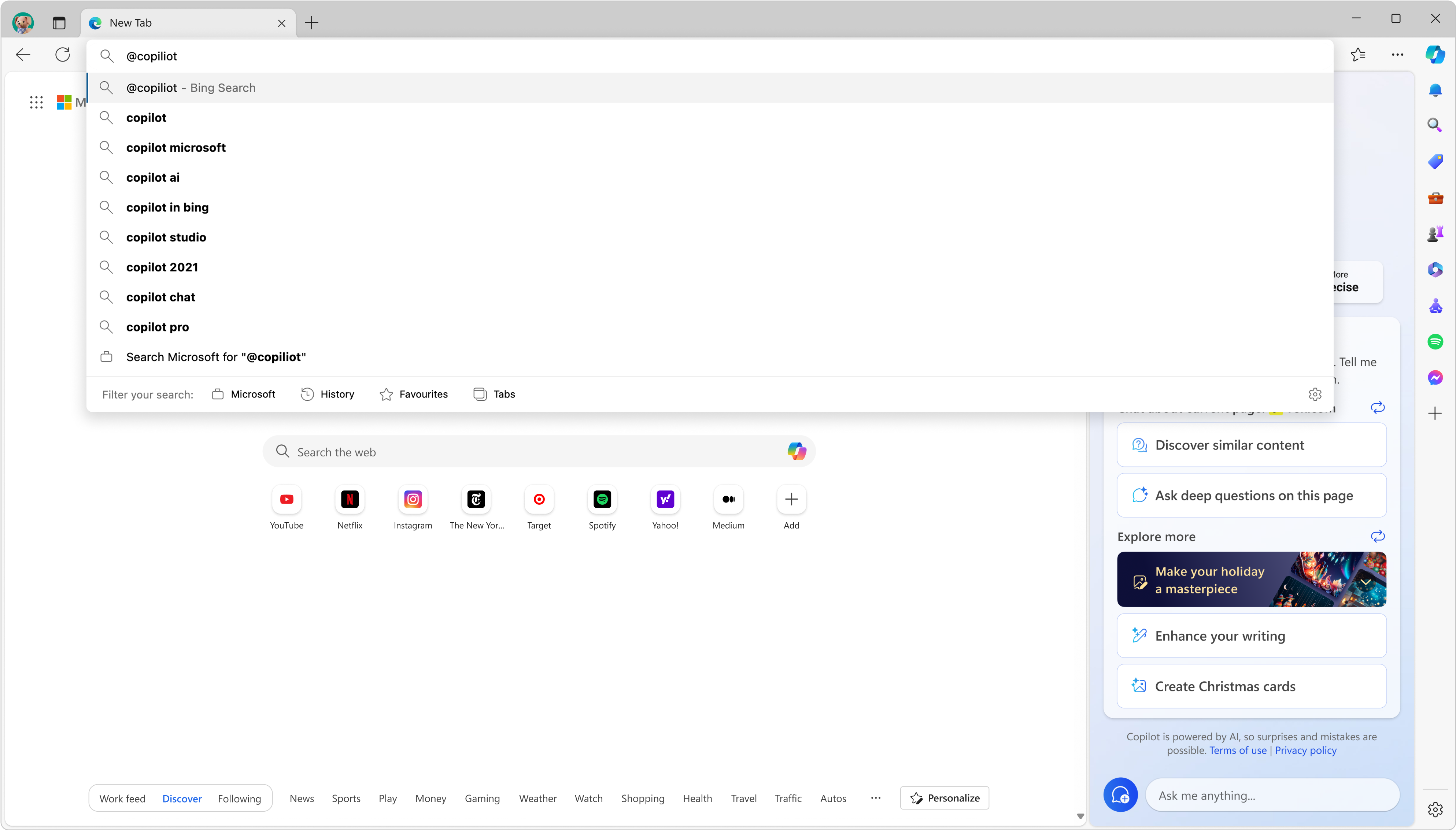
@Copilot
Now it’s even easier to access Copilot directly from the Microsoft Edge browser by simply typing @copilot into the address bar.

HOW WE SUCCESSFULLY LED
Some data points which increased BSoM in Edge

Before

After

Kind Words

Amit Anand
Sr. Product Manager at Microsoft AI
Divesh combines creativity with a deep understanding of user needs. While working together on Microsoft Edge, he played a key role in shaping product flows that are now used by hundreds of millions of users globally. His designs are intuitive, making user experiences feel seamless.
Beyond his design skills, he is a great collaborator—thoughtful in discussions, receptive to feedback, and always pushing for the best user experience.
Few more features shipped in Microsoft Edge


